You can trust VideoGamer. Our team of gaming experts spend hours testing and reviewing the latest games, to ensure you're reading the most comprehensive guide possible. Rest assured, all imagery and advice is unique and original. Check out how we test and review games here
It seems bizarre to be writing a hands-on preview of a free console update, but we’ve never known one to change so significantly the way you interact with your games machine. Officially unveiled at E3 last July (but unceremoniously leaked to the internet a month earlier), the New Xbox Experience promises to make looking at, and using, your Xbox 360 a much quicker and dynamic experience.
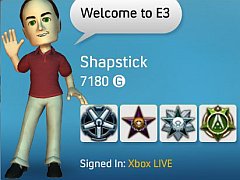
The Avatars, created by Banjo-Kazooie: Nuts & Bolts developer Rare, are undoubtedly the headline feature. Similar in style to Nintendo’s Miis, your Avatar will be the virtual representation of your gaming self. It will be what people see when they want to interact with you pre-game. And it’s also something you absolutely have to bother with.
When you turn your Xbox LIVE connected 360 on, on November 19, you’ll be prompted to download an update. Once done, a short promotional movie will play that doesn’t really have anything to do with anything except looking pretty. From there, you’ll be asked to create an Avatar. This is something you have to do, but how long it takes is completely up to you.
/https://oimg.videogamer.com/images/c660/image02111.jpg)
A dozen or so pre-made Avatars will pop up on screen, designed to form the base of your own Avatar. You can select one, or, if you don’t like the look of any of them, press X and a new set of Avatars will trot on screen. Once you’ve found one you like, you can proceed to customise it, with a raft of outfits, facial features, height, build and hair types (ten pages of them) to choose from. If you can’t be bothered with any of that customisation lark, you can simply use a base Avatar and skip customisation altogether. But if you want to, you can tweak your Avatar to your own design. We managed to create a red-bearded, milk white skinned man and dressed him in a suit and Jamiroquai hat. It’s not customisation on a par with Saints Row 2, but you do have a lot more options than Nintendo offers when creating a Mii.
Once done, you can take a picture of your Avatar – positioning the head at whatever angle you want in an outlined mugshot square – and use it as your Gamer Picture, but you can carry on using any Gamer Picture you might have spent Microsoft Points on. From there, you’re good to go and play about with the new and improved dashboard. It’s been designed to be much more attractive to look at and much easier to find what you’re after. The blades have been replaced by a vertical list that can be scrolled up and down, with things like My Xbox, Friends, Inside Xbox and Video Marketplace. Each item on the list has a number of visual options that can be scrolled through horizontally. My Xbox, for example, will have a large image of the box art of the game that’s in the tray, your Gamer Card (itself significantly visually enhanced) and your Games Library, among other things. It looks and feels like a much more visual version of the PS3’s XMB.
/https://oimg.videogamer.com/images/00aa/image031111.jpg)
The overriding philosophy behind the update is to make it much easier to find what you’re after on your 360. While many don’t experience too many problems with the current ‘blades’ dashboard, the feeling is that it’s a clunky system that forces you to scroll through too many text-based lists to find what you want. Now, you’ll be able to access everything you have and don’t have that’s related to a title just by selecting its image on the dashboard – screenshots, videos, box art, downloadable content, even basic game information from the back of the box will be viewable. After a brief play, we have to say it’s much better, and should make accessing the content you have on your console a much quicker experience.
No more evident is the focus on improving things visually than in your Friends list (capped at 100). Here the Avatars of your friends will display horizontally across the screen, and you can scroll through them and check out what they’re up to. You’ll see what game they’re playing, if any; if they’re offline they’re Avatar will be asleep. There will be objects behind the Avatars as well, which will be dependent on the theme you’ve got running. While you can keep all of your old themes and use them, only new ones will have objects that show up behind your friends’ Avatars, like beach cabins and the like. We expect part of the attraction of new game-related themes made available post NXE launch will be in seeing not only the background images, but also the objects in your Friends list.
From your Friends list you’ll be able to join a party or invite someone to a party of your own, of up to a maximum of eight people. It’s here that one of Microsoft’s most interesting innovations can be found. Parties can be formed from the dashboard and will remain as you jump into a game, or into photo sharing, for example. What this means is you’ll no longer have to send out individual invites within a game, or break up a party to join a game. The new party system acts as an overarching and persistent lobby service, of sorts.
/https://oimg.videogamer.com/images/d2be/image04.jpg)
So far, so very casual. But there’s one or two new features NXE will bring that will be of interest to the hardcore. You’ll be able to log into Xbox.com on your PC, perhaps at work while your boss isn’t looking, and shop from the web, so if your console is on at home (not very environmentally friendly) you can order content and it will start downloading. If it’s off as soon as you get home and turn your console on it’ll automatically start downloading your purchases, which should save you some time. Also launching on November 19 is the Community Games channel, which is where you’ll find all of the games created with the XNA Creators Club. Of most interest to gamers however is being able to install all of your existing 360 games, and new ones, to your hard drive. Microsoft’s testing showed that Viva Piñata: Trouble in Paradise took six minutes to install to the hard drive. It estimates that installing a game will decrease loading times by 30 to 50 per cent, too. Some games will benefit more from an install than others, of course. Indeed some titles, like Square Enix’s upcoming JRPG The Last Remnant, will come with a recommendation that it will perform better if installed. Suddenly your 360 hard drive size has become a lot more important.
The New Xbox Experience, along with the recent price cut that makes the 360 cheaper than the Wii and the planned release of party games like Lips and You’re in the Movies, forms part of Microsoft’s assault on the lucrative casual gaming space Nintendo has so far proved so successful in targeting. As time goes on, however, the new Avatars system in particular will be of more interest to hardcore gamers, as Microsoft’s planned Avatar Store takes shape. While it hasn’t worked out a pricing model yet, expect to be able to buy new items with which you’ll be able to customise your Avatar. And expect to be able to dress your Avatar in game-related goodies, too, like a Guitar Hero guitar, when you’ve unlocked a particular Achievement. Might we be dressing our Avatars in a Master Chief helmet when Halo 3: Recon comes out? We’ll know soon enough.
New Xbox Experience will be a free Xbox 360 update to Gold and Silver members of Xbox LIVE on November 19.
About the Author